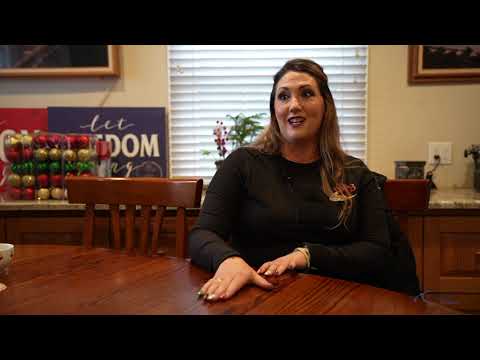
Moving from old-school methods to new technology is always a challenge. Christina Tanney, President of Women Truck Brokers in Fresno, CA, took the leap, adopting Axon Software after outgrowing their old system. Here’s her story of how Axon Software protects them from clerical errors and has helped them triple their fleet size.
Q&A
Tell us about the history of the company.
My name is Christina Tanney. I am the President of Women Truck Brokers, DBA WTB Inc. We are a family-owned business located in Fresno, California.
I purchased the company from my mom in 2017. My brothers and my mom still help in the background, and my brothers also work in the office and shop. We haul rock, sand, gravel, and oil for construction companies in the Central Valley.
I was born into this company. My mom started it when I was about five years old. She and my dad started with water trucks, then branched out to buy transfers and double-bottoms. After my dad passed away, my mom looked to retire, and I purchased it from her in 2017. Since then, we’ve grown to run about 50 double-bottoms, 12 transfers, 10 supers, and 4 oil tankers.
I also started using Axon in 2017. I had done several demonstrations over several years, because it’s hard to go from pen and paper and embrace new technology. We had QuickBooks, but our company was growing so significantly that QuickBooks wasn’t able to handle it.
What was your experience once you implemented Axon?
Once we initially signed on, Axon took over all our accounting, our dispatching, our invoicing, and keeping track of all the loads. Now, I couldn’t imagine not using it.
It took a few months to really learn the system, but it was so user-friendly and user-safe. It protects you against yourself. If you have a credit, there’s going to be a debit somewhere. The accounting program was really a fail-safe measure for us. Our accountant is on board with it, and all our invoicing is now done in-house. It’s wonderful for us.
Axon worked with me on the kind of trucks we run and even set up some of the dispatching software around the trucks we use.
Can you talk about outgrowing your old process?
For invoicing, we were using an Excel program to input the tags, invoice through Excel, and then input our invoices into QuickBooks. It was like a three-step process, and I had to start a new spreadsheet every month.
There were times when tags were either double-billed or double-paid. There was a lot of mismanaged money just because it was too hard to keep track of it, and it wouldn’t tell me if I had already billed a specific ticket number months ago. I had to constantly double-check. The whole thing led to more room for clerical errors from transposing numbers.
Now, it’s all one system.
How has Axon eliminated those issues?
The whole database is in the Axon system. If somebody turns in a ticket a year later, I can trace that back in 30 seconds. No need to pull out old files that I’ve printed or any of that.
With Axon, I take my dispatch sheets, load them into the system, and the person inputting tags knows this truck worked for this customer on this day. She’s on the phone calling for any missing tags. They send them over and we scan every single tag into the system after we fill out the basic form, and then it gets invoiced.
Should a customer have a question, a month or a year later, on travel time for a job, I can pull up that tag and see within 30 seconds. Before, it would take days.
How has your company grown since implementing Axon?
When we first started Axon, we were running around 30 trucks. Now we have almost 100. We have tripled the number of trucks we have, and we’ve only had to add one extra office staff member to help.
Without Axon, I really feel that if we stayed with our old ways, we would have had to hire at least three or four more office employees to help keep track of the load that’s coming in. Other competitors in our area run bigger offices for a fraction of the amount of trucks that we have.
How has Axon impacted your invoicing and customer relations?
My customers love it. I can filter out the jobs so it prints job-specific for each invoice, where with Excel, I just gave them a whole month’s statement with all the jobs mixed in.
They’ve had no complaints and actually say we’re one of the most efficient invoicers because all the necessary information, including job number, location, and truck tags, is there.
How do your drivers and sub-haulers feel about the payment statements?
For our sub-haulers that get equipment statements, all their job information, rate of pay, and all the things they need are listed.
If there’s a discrepancy, it’s easy for them to tell us, for example, “On this tag I was short two-tenths.” We can pull it up, look at their tag, and see if it was a mistake on their part or a clerical error from us that we can fix. It helps them have confidence, which makes it easy for them to come to us.
In a day’s work using Axon for your accounting, hours are saved. You put in your bills that you need to pay, and then you’re ready to print a check. When I pay the drivers once a month, I go through all their statements, and I just press print. It’s easy.
How do you find the reporting tools?
The reports that Axon provides us are amazing. Anything we need is there. If I can’t figure out how to do a certain report, I’ve contacted Support. If they don’t have it handy, they will make it for you and save it into your company profile within a few days.
Now, I don’t have to use them to create new ones. It’s just the click of a button, you set the parameters, and it gives you the report instantly.
How does Axon compare to QuickBooks in terms of security and accountability?
QuickBooks is a good program, but it’s not made for trucking. Anybody can change anything in the software. When we used to run QuickBooks, if something needed to be changed on an invoice or a ticket, you just changed it, and it automatically updated. But there’s no paper trail.
With Axon, if we run into something that needs to be changed, you can’t just change the invoice. You have to change the source document/ticket that’s attached to the invoice, so you have a record of what was changed, why it was changed, and who changed it. There’s always that paper trail to find out why it was changed.
How was the training and support process?
The training was easy for me as far as learning the program. Within a week’s training, we were ready to go. Axon was very good about staying with us day by day as we went through our first month, and first billing cycle, and then the quarter cycle. They give you training booklets and there are plenty of videos, but it’s pretty self-explanatory.
Anytime we needed to contact Support, somebody was there to help me instantly. Whether I used the chat, emailed in, or called, they were always there to help me through every step. If they had to fix a report for me, their tech would have been on it and uploaded it in my system for me to access within 24 hours.
How has Axon changed the office dynamic?
The stress level is less because everything is there in the system, easy to use. You’re not chasing anything down. We have more free time to co-mingle and talk, and if someone needs help or learns a new trick that the other one doesn’t know about, we share our ideas.
Do you recommend Axon to others in the industry?
I’ve actually recommended Axon to a couple of other construction companies that are growing and need the accounting and dispatch portions and how it keeps track of all the trucks. I recommend Axon to anybody and everybody that I can, because it’s worth it.